To make your phone a tool instead of a trigger, start by removing apps that waste your time and hide tempting ones. Use productivity tools like calendars and task managers to stay organized, and set boundaries by turning off non-essential notifications. Create focused time blocks and reduce disruptions during deep work. Regularly declutter your digital space to keep it simple and efficient. If you continue exploring, you’ll discover even more ways to transform your digital habits.
Key Takeaways
- Remove or hide distracting apps to minimize temptation and create a focused digital environment.
- Turn off non-essential notifications and use focus modes during work periods.
- Use productivity apps like calendars, note-taking, and task managers to enhance efficiency.
- Set specific times for digital decluttering to organize files and delete unnecessary apps.
- Position your phone as a tool for productivity by maintaining a clean, organized digital space.
Your phone isn’t just for messaging or social media — it can become a powerful tool to boost your productivity, organize your life, and even help you learn new skills. The key is to harness the right apps for productivity and practice digital decluttering. Instead of mindlessly scrolling or letting notifications distract you, you can intentionally set your device up to serve your goals.
Start by evaluating your apps. Identify which ones genuinely add value and which are just time sinks. Remove or hide apps that tempt you to waste time. This is part of digital decluttering—creating a clean, focused digital space that minimizes distractions. When you limit your apps to the essentials, your phone becomes less of a trigger for procrastination and more of an asset for your personal growth.
Next, explore apps for productivity that align with your objectives. Calendar apps can help you stay on top of appointments and deadlines, while note-taking apps enable quick ideas to be captured and organized. To streamline tasks, consider task managers that break projects into manageable steps, giving you clear pathways to completion. Using these tools, you can plan your day efficiently, set reminders, and track progress without relying on scattered notes or mental memory.
Making your phone a productivity hub also involves setting boundaries. Turn off non-essential notifications that pull your attention away from important tasks. Use focus modes or do-not-disturb features during work periods to create uninterrupted time. This reduces the likelihood of your phone becoming a trigger for distraction, instead positioning it as a facilitator of focus.
Another effective strategy is to dedicate specific apps or periods for digital decluttering. Regularly review your apps and files, deleting what no longer serves you. Organize your files into folders, label them clearly, and keep your home screen free of clutter. This intentional organization not only reduces overwhelm but also enhances digital decluttering and makes it easier to access the tools you need when you need them.
Antivirus Cleaner For Android BSafe VPN
Android Security & protection
As an affiliate, we earn on qualifying purchases.
As an affiliate, we earn on qualifying purchases.
Frequently Asked Questions
What Are the Best Apps to Enhance Productivity on My Phone?
You can boost your productivity with apps like Todoist or Notion for task management, and Forest or Focus@Will for focus. Explore app alternatives like Trello or Evernote to suit your style. Use notification management tools like Flipd or StayFocusd to minimize distractions. These apps help you stay organized, limit interruptions, and turn your phone into a productivity tool rather than a trigger for distraction.
How Can I Reduce Phone Notifications to Stay Focused?
Did you know that the average person checks their phone 58 times a day? To reduce notifications and stay focused, you should manage your notifications actively. Turn off non-essential alerts through notification management settings and create focus modes that silence distractions during work or breaks. Incorporating focus techniques like scheduled “do not disturb” periods helps you stay on task and minimizes the temptation to check your phone constantly.
What Are Quick Ways to Organize My Phone for Efficiency?
To organize your phone efficiently, start a quick screen detox by deleting unused apps and clearing clutter. Use folders to group similar apps, making navigation faster, and disable non-essential notifications to minimize distractions. Regularly perform a digital declutter by reviewing and removing apps or files you no longer need. This simple approach keeps your device streamlined, helping you stay focused and productive without feeling overwhelmed.
How Do I Set Boundaries for Phone Usage With Family?
You set boundaries by openly discussing your limits with family and emphasizing the importance of family communication. Establish specific times when phone use is off-limits, like during meals or family activities, and stick to them consistently. Use clear signals or reminders to enforce boundaries, and encourage everyone to respect each other’s space. By doing so, you foster understanding and guarantee boundaries enforcement, creating a healthier balance between phone use and quality family time.
Can I Customize My Phone to Support Specific Work Tasks?
Yes, you can customize your phone to support specific work tasks through device customization and task-specific settings. You can tailor notifications, app access, and shortcuts to streamline your workflow. For example, set different profiles for work and personal use, or create shortcuts for frequently used apps. This helps you stay focused, reduce distractions, and efficiently manage your tasks, making your phone a powerful work tool rather than a trigger.

U.S. Solid WiFi Switch Module, DC 5~32V, Wireless Remote Voice Automatic Controller Compatible with Alexa/Google Home iPhone/Android App, Gray
Effortless Control: Control your devices from anywhere using your smartphone, tablet, or even voice commands with Alexa or…
As an affiliate, we earn on qualifying purchases.
As an affiliate, we earn on qualifying purchases.
Conclusion
By transforming your phone into a tool, you can boost productivity and reduce distractions. Imagine a student who uses their device solely for educational apps and note-taking during study sessions, leading to improved focus and grades. Just like them, you can set boundaries—limit social media, organize apps for efficiency, and use your phone intentionally. Turning your device into a purposeful tool can truly make a difference in your daily life and mental well-being.

VPOD Deluxe Wireless TENS Unit Muscle Stimulator with Smartphone App Control – Bluetooth Enabled for Pain Relief Therapy – Rechargeable Portable Device for Back and Neck Pain
Move Freely During Your Therapy: This wireless tens unit eliminates cord restrictions while Bluetooth smartphone app control lets…
As an affiliate, we earn on qualifying purchases.
As an affiliate, we earn on qualifying purchases.
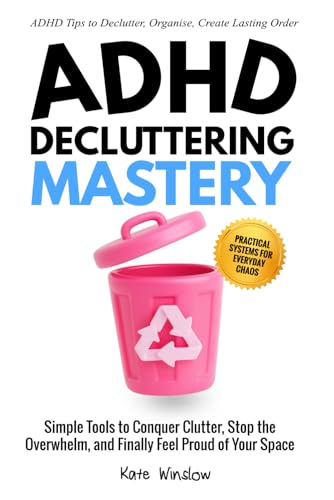
ADHD Decluttering Mastery: Simple Tools to Conquer Clutter, Stop the Overwhelm, and Finally Feel Proud of Your Space
As an affiliate, we earn on qualifying purchases.
As an affiliate, we earn on qualifying purchases.